Stationeers
15 min readWhat is Stationeers
It’s kind of hard to describe what Stationeers is in a simple manner. The gist of it is that it’s a survival crafting game in space. But it’s so much more than that.
I’ve bought this and played it in early access since 2018. I played it a bunch back then and saw most of what was available at the time. Eight years later development is still going strong, even though the game is still in early access. I saw many posts about very big updates lately, one of the most recent ones being a total revamp of the terrain system. So I decided to play it some more these last few days.
When I first played the game, I saw many similarities to another certain space game called Space Station 13, based on it’s wiring systems, pipes, use of APCs(Area Power Controllers) and tile based atmosphere simulation. I would bet development probably started as a 3D take on the game, but it has grown into its own thing. I don’t know whether Stationeers will ever have round based role based gameplay, but it’s a good sim/engineering/survival game in its own right.
Where the game stands apart from others in the genre (of which there aren’t many, besides space engineers, but that game focuses more on spaceships and deformation that simulating atmosphere) is it’s detailed gas simulation which makes some effort to simulate the thermodynamic laws of ideal gases. They are also working on a major update to expand the gases in the game. Each enclosed space in the game be it a room or a pipe segment simulates the gases present inside, such as the relationship between pressure volume and temperature, as well as phase changes (where gases gain or lose temperature accordingly), gases can become liquid and even froze into solids, and there’s a lot of fun in designing a atmosphere control system with the required redundancies and safety measures to prevent pipes bursting, explosions or the wrong gases ending up where they shouldn’t.
Speaking of explosions, one of the most common way you can trigger one is when using the game’s intricate allow smelting system. Each metal and each alloys have specific ranges of temperatures and pressures that need to be achieved inside a furnace to produce the desired output. While simple metals like iron, gold or steel just require a minimum temperature treshold to be hit, advanced alloys can require you to achieve pressures over 40 MPa at temperatures that must not go above 600 degrees celsius.
Then of course there’s the survival aspect, you need to grow food, mine ores and ice resources so that you can expand your base, create a controlled atmosphere in which you can take off your suit and grow your food, power generation, cooking, trading, etc.
It also offers a sort of small scale factory gameplay, you can decide what and how much to automate, but the game offers you many devices and tools and it’s up to you to decide how to tackle some problems. You can eventually build deep miners which passively generate resources for you (but the setup is quite intricate, you need to process and filter the resulting ore to end up with useful materials). There’s also the option to send automated mining rockets into space.
Planets
The game features different planets that you can play on, each with it’s unique challenges.
Mars
The red planet. Judging by the order it’s in the list it might be the intended difficulty. Solar power is viable and there is a thin (2kPa) atmosphere containing mostly CO2 and some Oxygen and Nitrogen which can be harvested for various purposes. Pros:
- Has atmosphere, so you can filter out gases
- Has atmosphere so things can cool into it
- Atmosphere is thin enough that you can mostly dump unwanted gases easily, but it does require a volume pump if you want to clear a pipe Cons:
- Solar power is viable but requires more panels than the moon for the same amount of power
- Has atmosphere so any passive vent connected pipes without the proper valves will be “polluted” by the local gases
- Every few days a powerful dust storm comes that will damage solar panels and scattered items. I actually lost about 50% of my starting supplies to this (should have done my research)
Moon
Our friendly neighborhood satellite. This is the planet I played on in my previous playthrough. Solar is much more powerful than on mars and there’s no atmosphere to worry about.
Pros:
- No atmosphere, so you can void any pipe with a passive vent Cons:
- No atmosphere, so all your gases need to be harvested from crushing Ice or burning ice in a furnance
- Has pesky Solar Storm events that greatly increase solar power generation but can also cook you inside your suit if you’re not prepared
Mimas
A satellite of Saturn. Has no atmosphere so many things said about the moon apply. Solar power is not viable.
Pros:
- No solar storms Cons:
- Solar power is not viable
Europa
The Jupiter satellite we dream to eventually explore and settle. Solar power is not viable, but slightly higher than Mimas. Has a thicker atmosphere than Mars but it’s cold as hell.
Pros:
- Has a thicker atmosphere which can be harvested
- Has a very cold atmosphere (-149 to -139 °C) which makes cooling stuff really easy (and because of the way the game treats temperatures in enclosed spaces, cooling is a need, as opposed to heating, bases at the moment do not radiate nor convect any heat, so it only accumulates) Cons:
- Really cold, so using an outdoors furnace is problematic
- Has Snow Storms, which I guess are like Mars’s storms but cold
Venus
Our other neighbor, closer to the sun. Has a 464°C atmosphere, and a 239 kPa atmosphere.
Pros:
- Has a thick atmosphere which can be harvested
- Receives a ton of solar power Cons:
- Really hot which makes cooling things really hard. Most MK1 equipment catches fire at these temperatures
- Has Dust Storms
Vulcan
And now for something completely different. This one is not a planet that can be found in our solar system, but a planet orbiting a supermassive black hole called Janus. It has an atmosphere than ranges between 24 and 102 kPa and temperatures ranging from 127 to 1452°C
Pros:
- On average solar panels generate more than on Mars
- Daytime atmosphere temperature is hot enough to smelt most metals and alloys, you just have to pump them into a furnace Cons:
- Has both an Ash Storm and a Solar Storm
- Extremely hot
Survival
Regardless of the chosen planet (besides of course each planet’s unique challenges) there are survival needs that you have to take care of in order to survive and play the game. There’s no real penalty for dying but not dying for as many days as possible is a nice goal to set for yourself, there are also achievements related to that.
By default you spawn in with a few crates of supplies and some tanks. I won’t go into details on what and how many pieces of equipment you start with but suffice to say you get enough tools to bootstrap a small base/shelter (walls, metal sheets, solar panel, batteries, an airlock kit, a solid fuel generator and an autolathe) as well as food, water and oxygen to last you a few days. Also a few seeds and hydroponic trays so that you can start growing food ASAP. Make sure you don’t lose them to the first storm like I did.
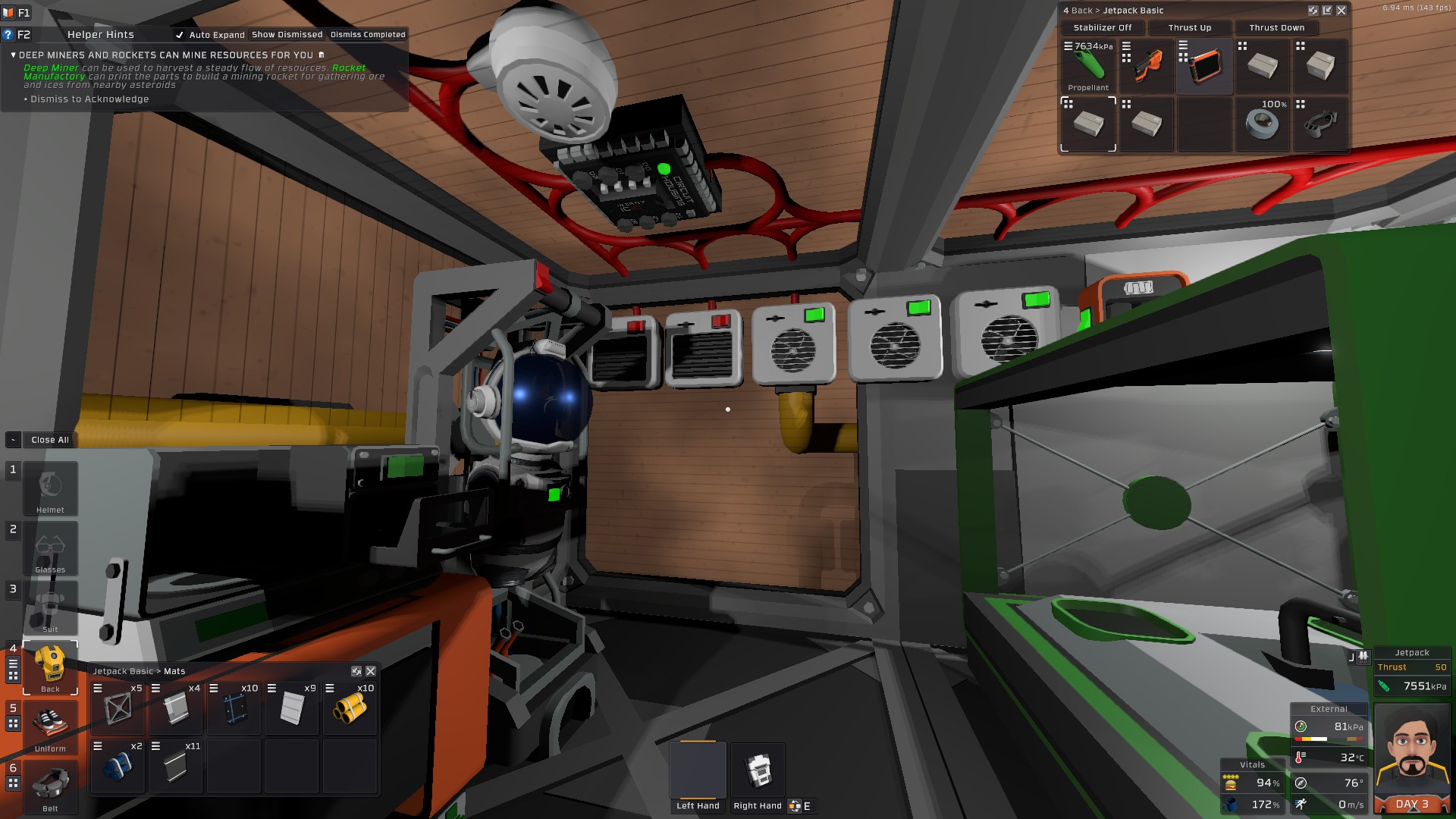
Hunkering down from a storm
The first thing to setup is basic power and the autolathe printer. You get a basic solar panel kit, this unfortunately is static and can not do solar tracking, so it won’t be very efficient. But once you setup the autolathe and the arc furnace you can start mining ores and smelting them so that you can print more advanced printers such as the electronics printer (prints devices and automation tools) and the hydraulic pipe bender (prints pipes and other atmospheric/gas/liquid equipment)
The next step would be to build an enclosed space with a double airlock so that you can create a breathable atmosphere where you can take off your suit and start growing plants. The first step for that would be to just build some frames and walls, a small box will suffice at the beginning. Then wait for the sun to be up (hopefuly you did build some windows) and throw some Oxite (Ice containing 90% Oxygen and 10% Nitrogen) and Nitrice (Ice containing mostly Nitrogen) on the ground so that they melt and start mixing into an atmosphere. This should be enough pressure and gases to start growing some basic crops. But you’ll need to breathe it a little so that you generate some CO2 for the plants. Of course, as you advance in the game you will want to setup advanced atmospheric control systems that control both the pressure, gas ratios and temperature of the base’s atmosphere, but that’s a project for the late game.
Once these are taken care of, the next important needs are a way to collect and store oxygen so that you can refill your air tank, as well as a volatile(hydrogen) collection tank so that you can then mix them at a ratio of 66% H 33% O so that you can create a fuel mixture for your welder and smelting. You’ll also have to be a bit careful when going about this as fuel mixture can auto-ignite if it gets too hot.
The game has an excellent tutorial that will explain all these steps and how to go about them so I’ll stop rambling about that.
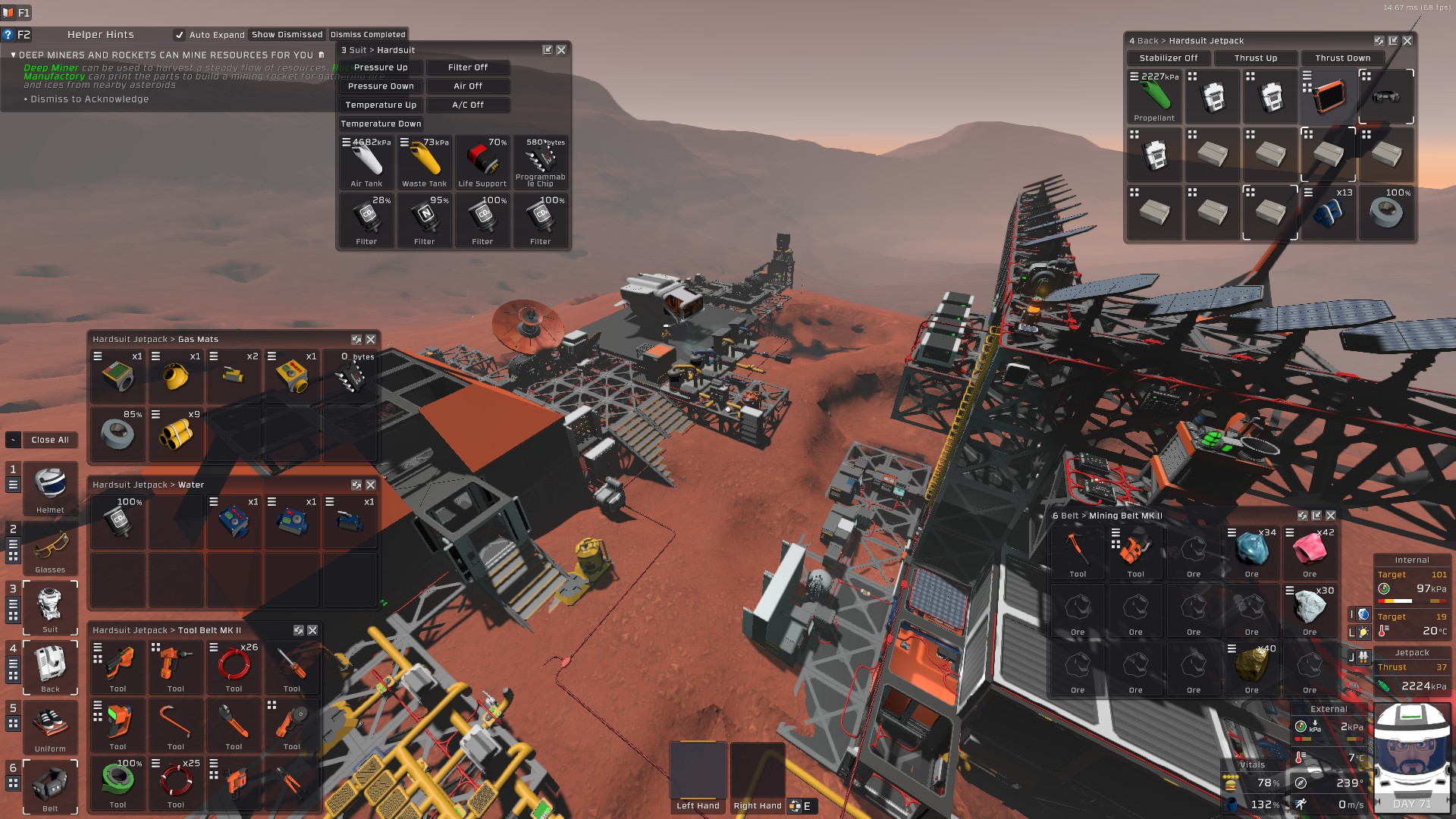
Overview of current mars base
Automation
The game has a pretty powerful automation system in which power networks that are connected to various data ports not only transmit power but also various signals that relay information about connected devices and can also control devices by switching them on or changing various values.
Initially, you can do early automation using discrete logic chips that use up a lot of space and can only do one thing such as read a value from a device, write a value to a specific device or a device kind, do math/logic operations or store values. But a bit later, when you are able to build a Computer, an IC housing and print some programmable integrated circuits you can replace these bulky setups with just an IC housing and a programmable chip.
Stationeers uses a custom programming language called IC10 which is very similar to an assembly language. It features 16 registers called r0-r15 and can also reference up to 6 devices addressed as d0-d5. You can use a screwdriver on the IC housing’s device pins to control to what device on the network a pin is referring to. But there’s also a more powerful way of interacting with devices on the network via batch writing and batch reading, which allows sending identical commands to all devices of the same type as well as read aggregate values from same devices.
Cheatsheet
# allows to refer to numeric values by a name to improve readability
define threshold 100
# allows referring to devices and registers by a name to improve readability
alias gasSensor d0
alias tempReading r2
alias wasHigh r3

# loads the value 3 into register 1
move r1 3


# you can use labels to jump to them later, like a goto statement
# can be used to create loops

loop:

# loads the device (Gas Sensor)'s Temperature output into the tempReading register
l tempReading gasSensor Temperature
# equivalent to
l r2 d0 Temperature

# sets wasHigh register to 1 if tempReading register is greater than the threshold
# sge stands for set greater equal
sge wasHigh tempReading threshold
# equivalent to
sge r3 r2 100
# other usual conditional set instructions
# sgt - set if greater
# sle - set if less or equal
# slt - set if lower
# seq - set if equal

# a conditional branch instruction
# jumps execution to highBranch label is the wasHigh register is equal to 1
beq wasHigh 1 highBranch
# equivalent to
beq r3 1 highBranch
# there are also other variations like bge, bgt, etc

# the yield statement tells the chip to stop processing this frame and await
# the next frame before continuing - without yield the chip runs a few hundred lines
# before returning control to the game
yield
# return to the loop label so we execute the same code each frame
j loop

# another label for jumping
highBranch:

# set device 1's On logic value to 1
# which can be used to turn on devices/equipment
s d1 On 1

# set all devices identified by the numeric hash which can be checked in stationpedia to On
sb 24258244 On 1

j loop
There are many other available useful instructions, including instructions for stack manipulation and function calling, but you can achieve a lot of stuff with just the ones above. Full reference available on the stationeers wiki
Some useful automation scripts
I won’t be talking about solar tracking here as there are plenty of available tutorials on how to do that, and it also varies from planet to planet. The steam workshop also features a slew of downloadable IC10 scripts that you can plug into chips that perform various functions. I’ll just be sharing some scripts I wrote that I think might be useful for other players.
Base temperature control
One of the first issues I encountered was that bases get hot over time. So hot that the internal atmosphere reached 50 degrees and I lost all my potatoes. I went for a pretty low tech solution, just a few wall heaters and a few wall coolers that I can toggle on and off to keep the temperature in a desired range.
Wall heaters are pretty simple to setup, they just need power, but wall coolers need a bit more setup as they need a pipe filled with a cooling fluid in which the wall coolers can dump heat, which then can be convected outside into the cold Mars atmosphere via convection radiators placed on the pipe.
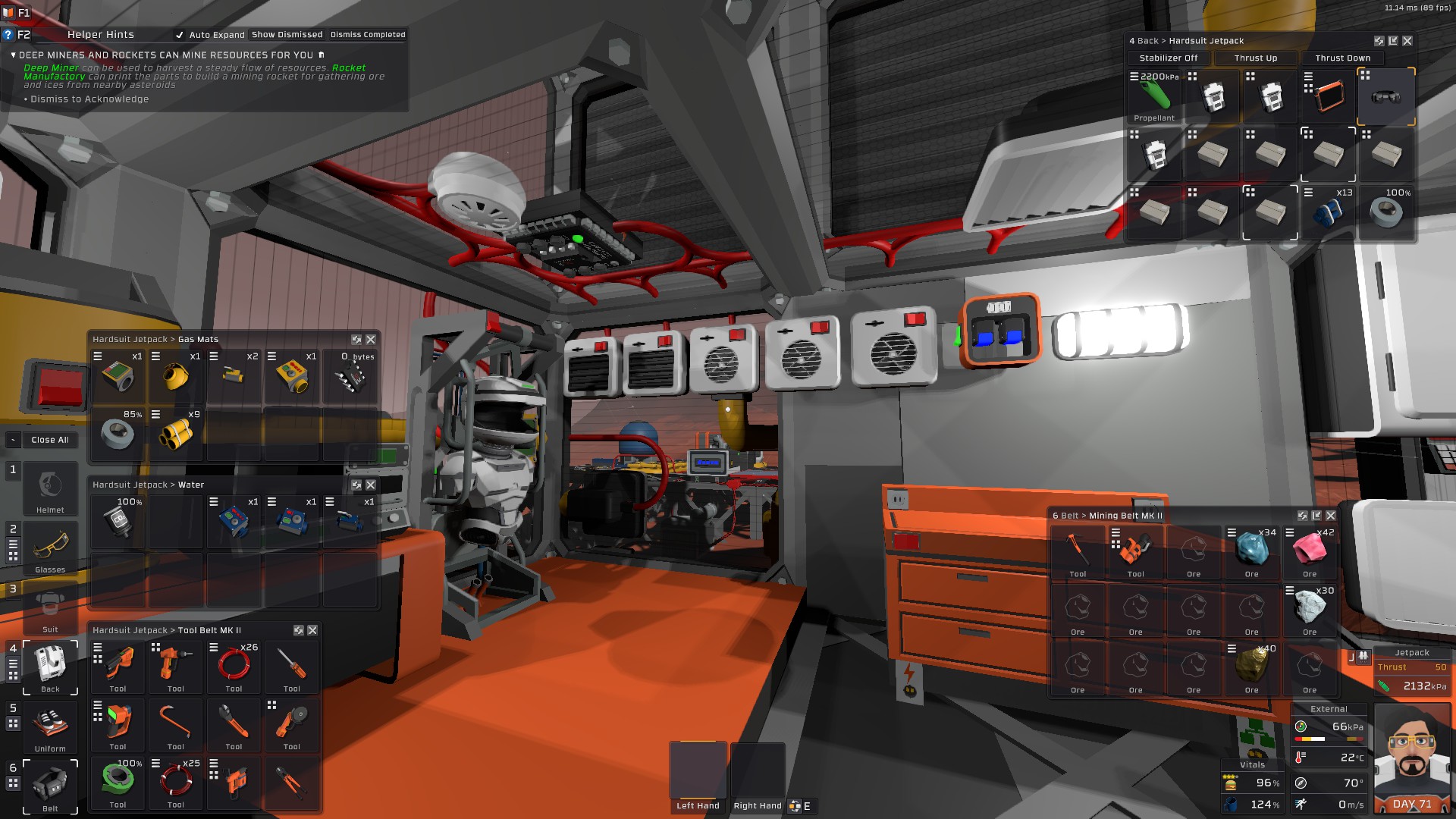
Wall heaters and cooling setup
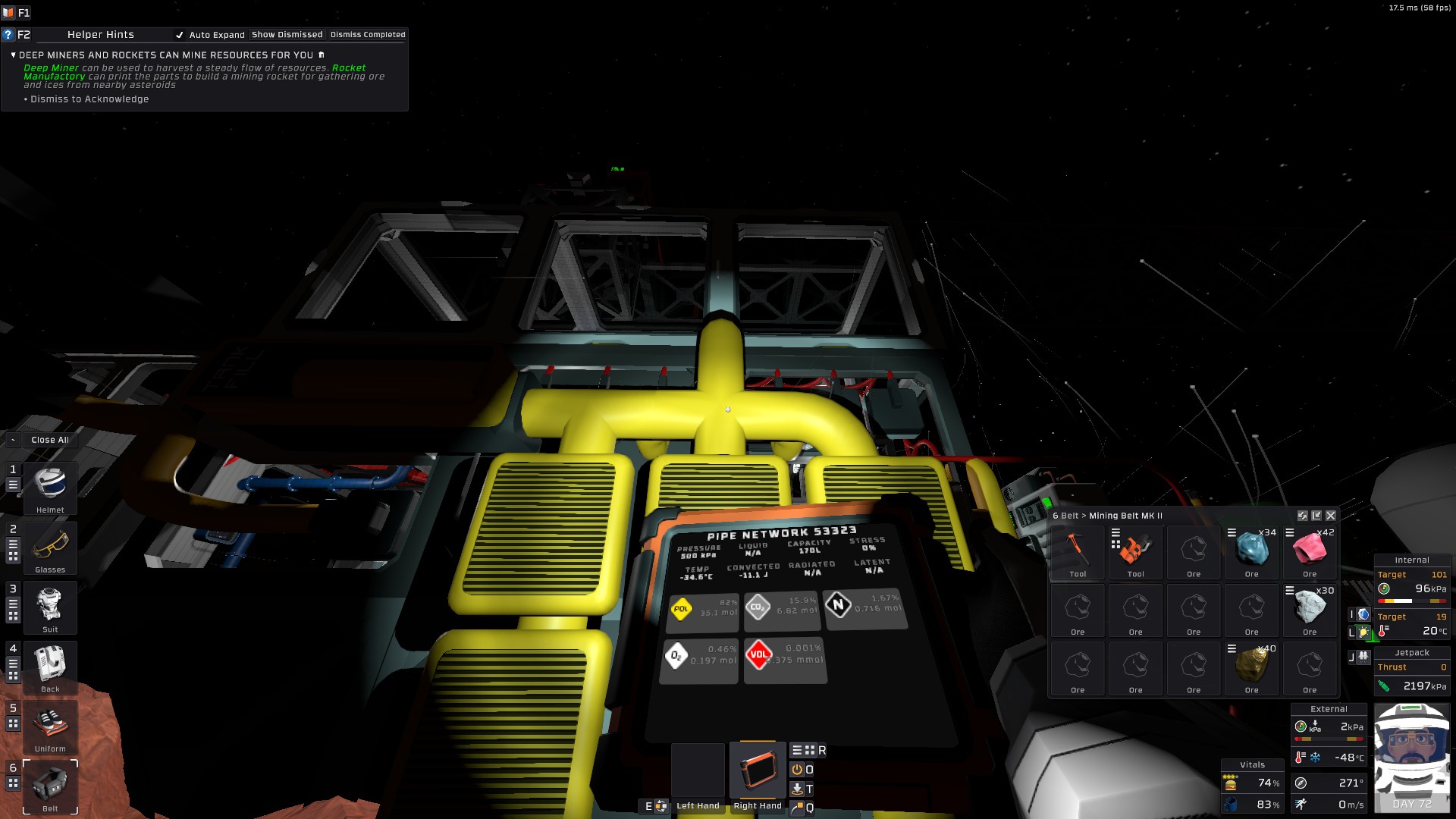
Wall Coolers waste pipe setup
# teperatures are read in Kelvin
define hotthresh 302
define okthresh 298
define coldthresh 292
# temp registers for storing comparison results
alias hotflag r1
alias okflag r2
alias coldflag r3
# register for holding the state machine's current state
alias state r4 #0 nothing 1 cooling 2 warming
alias temp r0
alias gasSensor d0
# hashes for all cooler devices and all heater devices
define coolers -739292323
define heaters 24258244
define normal 0
define cooling 1
define warming 2
move state normal
# begining of the main loop
main:
yield
l temp d0 Temperature
beq state normal normalState
beq state cooling coolingState
beq state warming warmingState

# in normal state we just check if the temperature has become too hot or too cold
normalState:
sge hotflag temp hotthresh
sle coldflag temp coldthresh
# using conditional branches to set state registers as I haven't figured out
# a more elegant way to do conditional register setting
# could probably be done with some multiplication tricks
beq hotflag 1 setCooling
beq coldflag 1 setWarming
j main
# in cooling state we just check if the temperature reached a cold enough value
coolingState:
sle coldflag temp okthresh
beq coldflag 1 setNormal
j main
# in warming state we just check if the temperature reached a warm enough value
warmingState:
sge hotflag temp okthresh
beq hotflag 1 setNormal
j main
# here we turn on the coolers and make sure heaters are off
setCooling:
move state cooling
sb coolers On 1
sb heaters On 0
j main
# here we turn on the heaters and make sure coolers are off
setWarming:
move state warming
sb heaters On 1
sb coolers On 0
j main
# when we reach a middle desired temperature we turn both heaters and coolers off
setNormal:
move state normal
sb heaters On 0
sb coolers On 0
j main
Furnace gas output cooling
Another problem I had on Mars is that I expanded my plant growing operation soo much that I would run out of CO2 in the base’s atmosphere, and collecting it from the Martian atmosphere was too slow. I did however have a device that generated a lot of gas as a byproduct, which is the furnace smelter. It generates mostly CO2 but some other useful gasses can also be present in the output gas. There is a problem though, the gas is way too hot to be pumped directly in to the base and passively waiting for it to cool down would take ages.
So I created an Air Conditioned cooling lop for the output gas, with a feedback pipe so that as long as gas was too hot (hotter than 20 degrees) it would be feed back into the cooling loop. Of course, I did not want to sit around and watch the pipes with an analyzer tablet to check when can I turn on the pump to move the gas from the cooling loop to my main atmos filtering loop, so I also automated this process.
All you need to run a similar setup are:
- two air conditioning units, daisy chained
- two volume pumps, one to push the gas out once it’s cool enough and another pump the return the gas if it’s not cool enough
- a pipe analyzer - this is so that the gas’s pressure and temperature can be accessed by the logic circuit
- a labeler to set names on the volume pumps so you can distinguish the output pump from the return pump
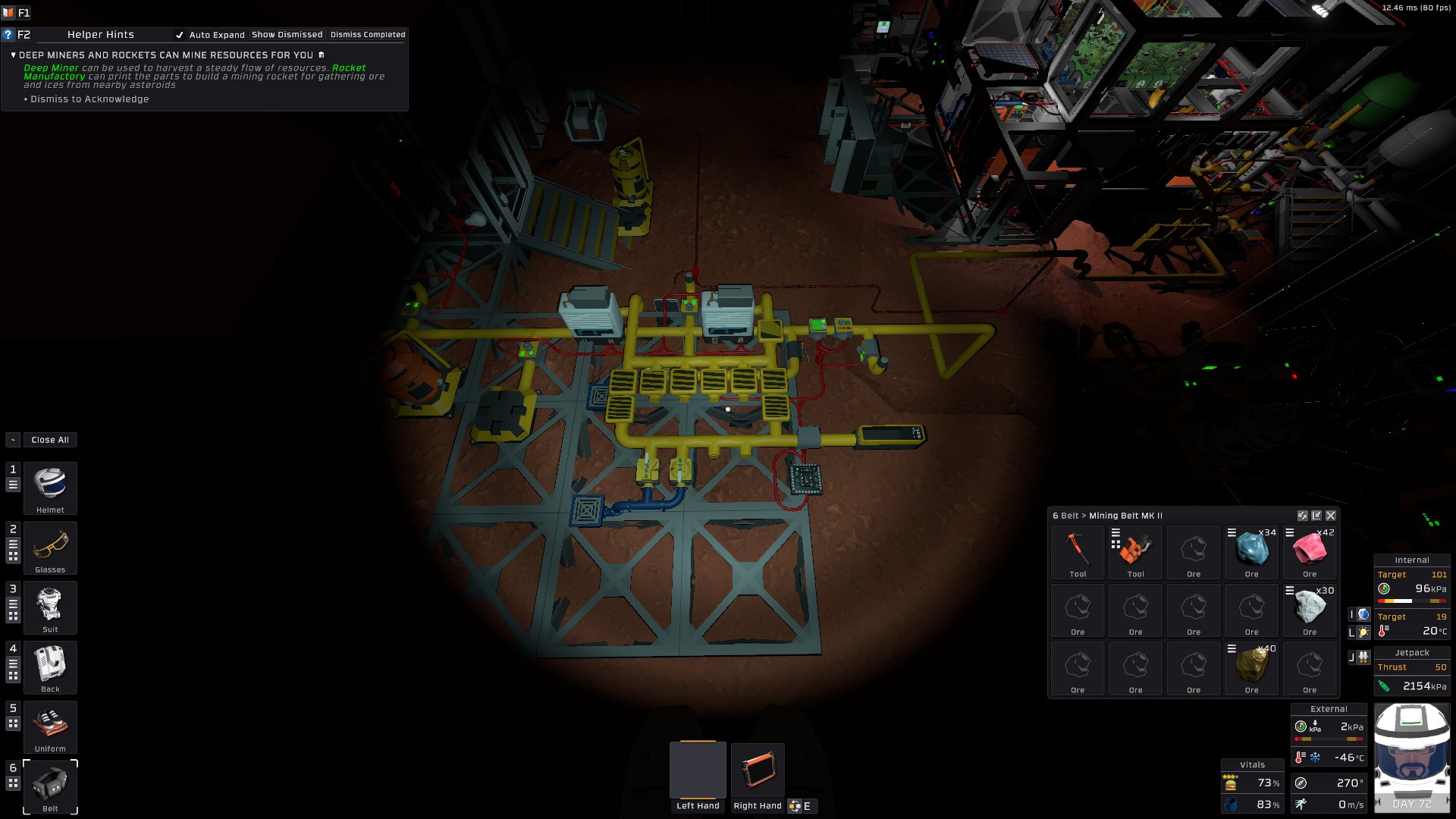
Gas cooling loop
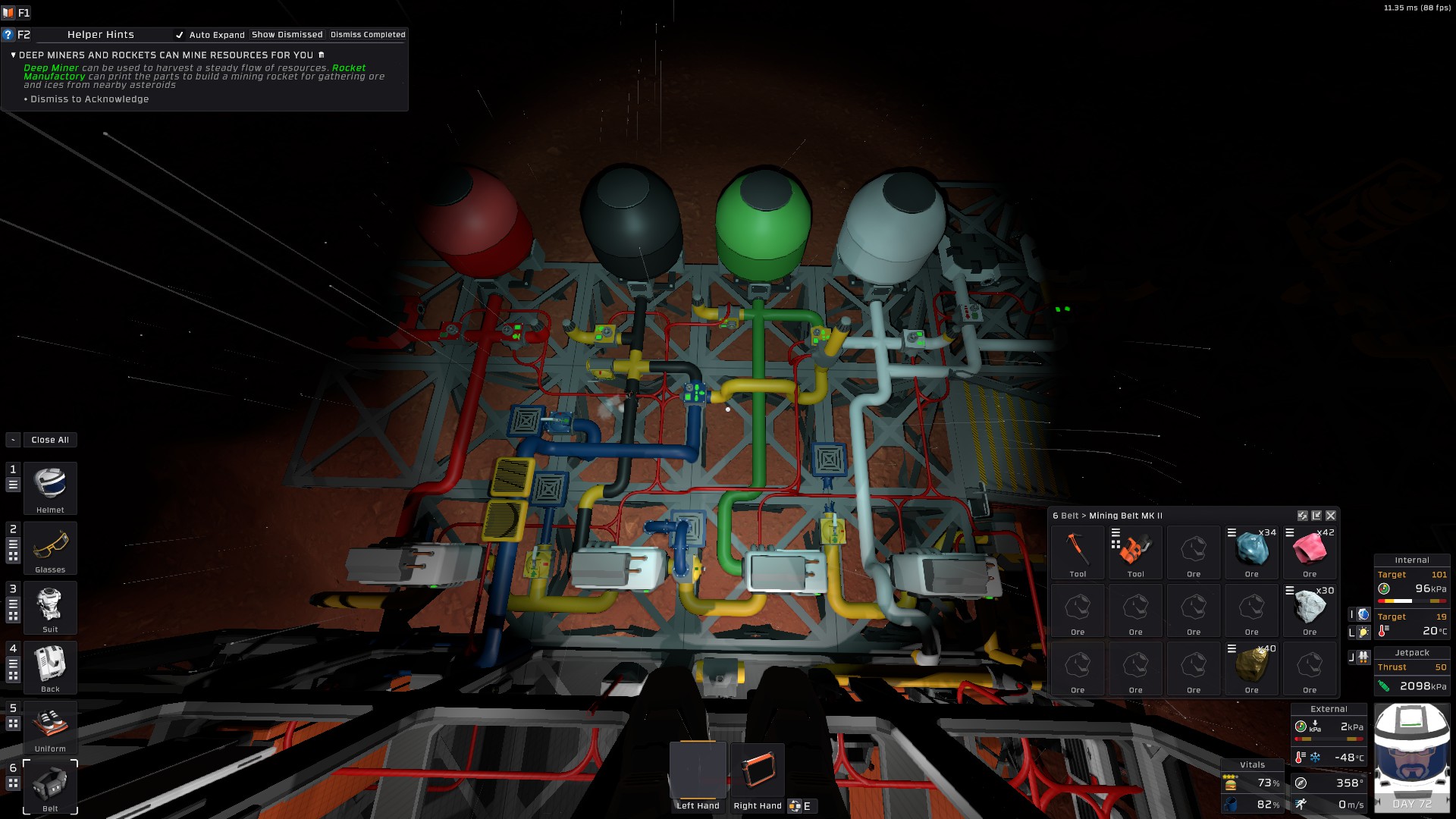
Main atmospherics processing and storage
alias pipeAnalyzer d0
alias outPump d1
alias returnPump d2
alias tempRead r0
alias coldEnough r1
alias needsReturn r2
alias pressureRead r3
define coldEnoughTreshold 294
alias presentGas r4
define minPressure 2
main:
# read pressure and temperature
l tempRead pipeAnalyzer Temperature
l pressureRead pipeAnalyzer Pressure
# set a flag that makes sure we have some pressure before
# we actually output any gas, as to not be wasteful
sgt presentGas pressureRead minPressure
# negating boolean values in IC10 is not straightforward
# so it's easier just to do two opossite comparisons
sle coldEnough tempRead coldEnoughTreshold
sgt needsReturn tempRead coldEnoughTreshold
and coldEnough coldEnough presentGas
s outPump On coldEnough
s returnPump On needsReturn
yield
j main
Hydrophonics lights control
It has happened more than once to have plants die on me due to forgetting to turn off the growlights while out on some mining and smelting expedition. In stationeers plants will die if they don’t get enough light, and they can also die if they get too much light. In order to get the most efficient growing speeds each plant needs a certain ration of light and dark time. Of course because I have a small hydroponic farm where I mix in all the plants, I did not need to optimize it as such, but a good rule of thumb is to give plants 5 minutes of darkness and 10 minutes of light.
Because the sun also provides sun to grow plants, in order to remove it as a variable, I’ve employed shutters, so that the only light plants get is when the growlight is on. Otherwise the sun could provide light during times where plants should stay in darkness and this would lead to light stress on the plants.
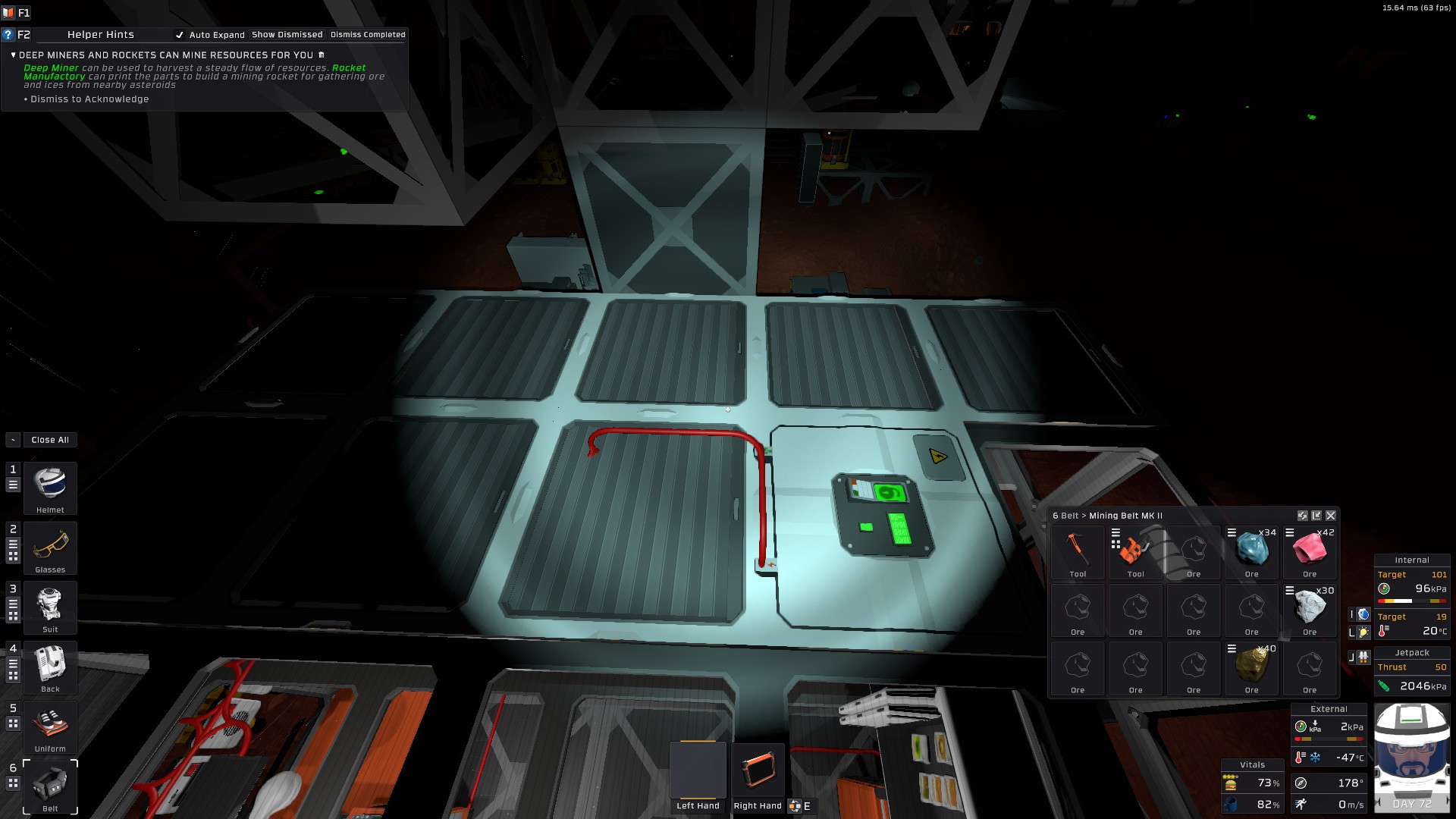
Shutter control panel
So I wrote some IC10 code that takes care of this. Each real time second has two game logic ticks, so 600 ic10 ticks mean 300 real time seconds which is 5 minutes, and 1800 ticks mean 15 minutes. The script first enters dark mode, where shutters are on and lights are off for 5 minutes, then for the next 10 minutes shutters are open and the growlights are on so that plants receive light even if it is dark outside. This could be optimized as to not send power to the growlights if the sun is up, but I did not bother. I’ve also added a neat LED display showing the current elapsed ticks.
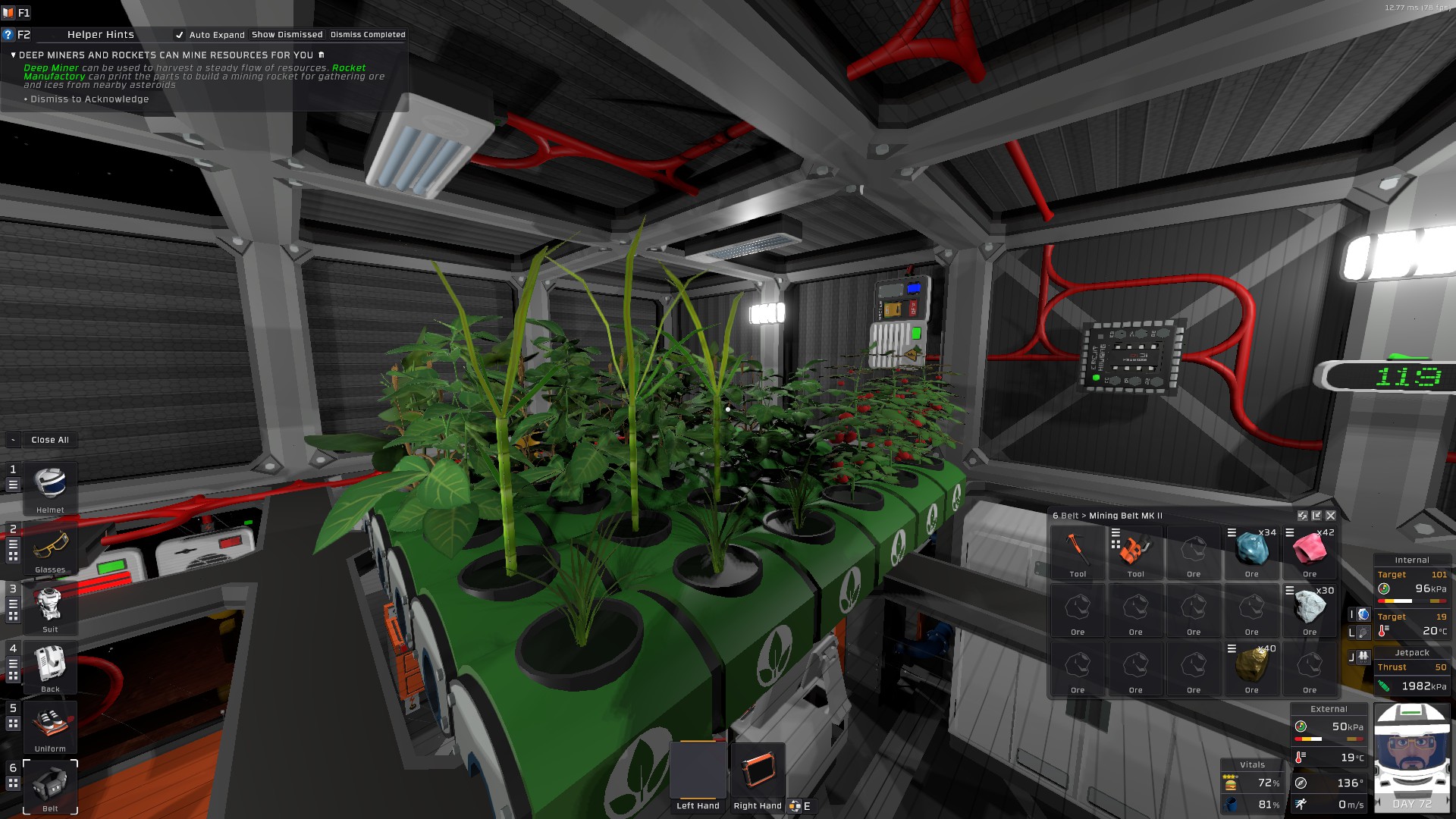
The hydrophonics room and control chip
alias ticks r0
define shutters -2078371660
define growlight -1758710260
define darktresh 600
define lighttresh 1800
alias isDark r1
alias isLight r2
alias shouldReset r3
alias ticksDisplay d0

move ticks 600
main:
yield
s ticksDisplay Setting ticks
add ticks ticks 1
sle isDark ticks darktresh
sge shouldReset ticks lighttresh
seq isLight isDark 0
sb shutters Open isLight
sb growlight On isLight
beq shouldReset 1 reset
j main
reset:
move isDark 1
move isLight 0
move shouldReset 0
move ticks 0
j main
To wrap things up
Stationeers is a great game. If you’re into space, survival games and automation, I do recommend you give it a go. It’s a really unique game and I’d love to see more people playing it and talking about it.
Comments